Skip to content
imagescalelab.com
  • Buying Guides
  • How-To & Tips
  • Product Comparisons
  • Product Reviews
imagescalelab.com
  • How to Set Up a Dual-PC Streaming Rig: A Step-by-Step Guide
    How-To & Tips

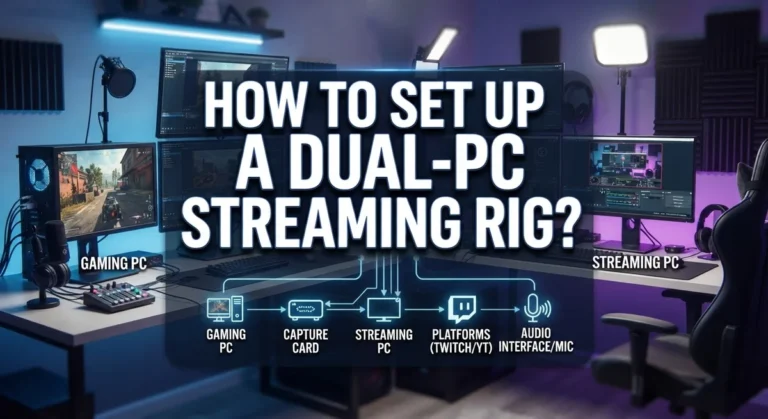
    How to Set Up a Dual-PC Streaming Rig: A Step-by-Step Guide

    ByDillip August 17, 2026

    Do you want smoother streams and better game performance at the same time? A dual-PC streaming rig can make that happen. It splits the work between two computers, so your game never has to fight your stream for power. One PC handles gaming. The other PC handles streaming and encoding. This setup gives you cleaner…

    Read More How to Set Up a Dual-PC Streaming Rig: A Step-by-Step GuideContinue

  • How to Undervolt a Laptop to Run Cooler: Complete Guide
    How-To & Tips

    How to Undervolt a Laptop to Run Cooler: Complete Guide

    ByDillip August 17, 2026

    Does your laptop feel hot after just a few minutes of use? Do the fans sound like a tiny jet engine every time you open a browser tab? You are not alone. Many laptops run hotter than they should. The good news is you can fix this without buying new hardware. Undervolting is a simple…

    Read More How to Undervolt a Laptop to Run Cooler: Complete GuideContinue

  • How to Clean the Inside of Your Desktop PC: A Step-by-Step Guide
    How-To & Tips

    How to Clean the Inside of Your Desktop PC: A Step-by-Step Guide

    ByDillip August 17, 2026

    Dust builds up inside your desktop PC faster than you think. It sneaks into fans, settles on heat sinks, and clogs your dust filters. Over time, this quiet buildup can seriously hurt your PC’s performance. A dusty computer runs hotter than a clean one. This extra heat forces your fans to work harder. Your components…

    Read More How to Clean the Inside of Your Desktop PC: A Step-by-Step GuideContinue

  • How to Benchmark Your PC’s Performance: A Complete Guide
    How-To & Tips

    How to Benchmark Your PC’s Performance: A Complete Guide

    ByDillip August 17, 2026

    Do you ever wonder if your PC works as well as it should? Maybe your games lag or your videos take forever to export. Benchmarking gives you real answers. Benchmarking tests your PC’s true performance. It pushes your CPU, GPU, RAM, and disk to their limits. Then it shows you exact numbers instead of guesses….

    Read More How to Benchmark Your PC’s Performance: A Complete GuideContinue

  • How to Replace a Laptop Battery Yourself: A Step-by-Step Guide
    How-To & Tips

    How to Replace a Laptop Battery Yourself: A Step-by-Step Guide

    ByDillip August 17, 2026

    Is your laptop battery dying faster than it used to? You are not alone. Many laptop users face this problem after a few years of use. The good news is that you can often fix it yourself. Replacing a laptop battery is easier than most people think. You do not always need a technician or…

    Read More How to Replace a Laptop Battery Yourself: A Step-by-Step GuideContinue

  • How to Upgrade Your Laptop’s RAM and Storage: A Complete Guide
    How-To & Tips

    How to Upgrade Your Laptop’s RAM and Storage: A Complete Guide

    ByDillip August 17, 2026

    Does your laptop feel slow these days? Maybe apps take forever to open. Or your storage keeps running out of space. Good news. You don’t need a new laptop to fix this. Upgrading your RAM and storage can breathe new life into an old machine. It’s often simpler than people think. Most laptops have accessible…

    Read More How to Upgrade Your Laptop’s RAM and Storage: A Complete GuideContinue

  • How to Add an SSD to an Old Computer: Step-by-Step Guide
    How-To & Tips

    How to Add an SSD to an Old Computer: Step-by-Step Guide

    ByDillip August 17, 2026

    Is your old computer starting to feel slow and tired? You are not alone. Many people face this problem after a few years of use. The good news is you do not need a new computer. You just need a new SSD. Adding one is one of the easiest ways to boost your system speed….

    Read More How to Add an SSD to an Old Computer: Step-by-Step GuideContinue

  • How to Dual-Boot Two Operating Systems: Complete Step-by-Step Guide
    How-To & Tips

    How to Dual-Boot Two Operating Systems: Complete Step-by-Step Guide

    ByDillip August 17, 2026

    Do you want to run two operating systems on one computer? Dual booting lets you do exactly that. You can install Windows and Linux on the same machine and choose which one to use each time you start up. This setup gives you the best of both worlds. You get Windows for everyday tasks and…

    Read More How to Dual-Boot Two Operating Systems: Complete Step-by-Step GuideContinue

  • How to Install Linux on an Old Laptop?
    How-To & Tips

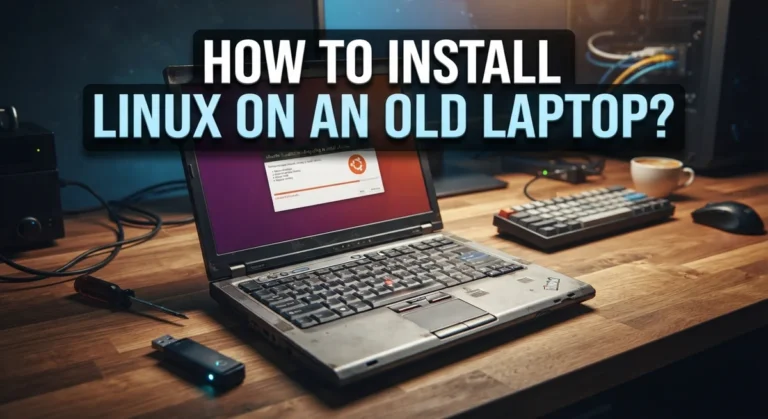
    How to Install Linux on an Old Laptop?

    ByDillip August 6, 2026August 6, 2026

    Does your old laptop sit in a drawer, gathering dust? Maybe it feels too slow for modern software. But that laptop still has life in it. Linux can give your old machine a fresh start. It runs smoothly on hardware that struggles with newer operating systems. Even a laptop that is over a decade old…

    Read More How to Install Linux on an Old Laptop?Continue

  • How to Run Windows Apps on a Mac?
    How-To & Tips

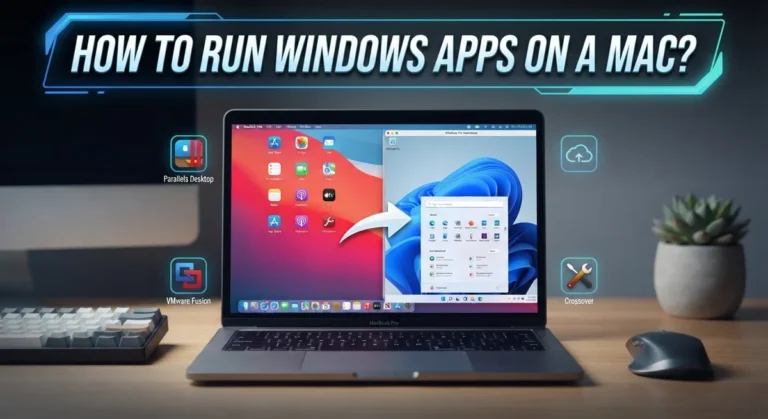
    How to Run Windows Apps on a Mac?

    ByDillip August 6, 2026August 6, 2026

    Switching to a Mac feels great. But then you open your old laptop and remember that one Windows app you still need. Maybe it’s for work. Maybe it’s a game. Maybe it’s just a tool you can’t live without. The good news? You don’t need to buy a new PC. Your Mac can run Windows…

    Read More How to Run Windows Apps on a Mac?Continue

Page navigation

Previous PagePrevious 1 … 5 6 7 8 9 … 12 Next PageNext
  • Home
  • Privacy Policy
  • About
  • Contact
  • Disclaimer

© 2026 imagescalelab.com

GDPR Cookie Banner

We are using cookies to give you the best experience on our website.

You can find out more about which cookies we are using or switch them off in .

  • Buying Guides
  • How-To & Tips
  • Product Comparisons
  • Product Reviews
imagescalelab.com
Powered by  GDPR Cookie Compliance (opens in a new tab)

Privacy Overview

This website uses cookies so that we can provide you with the best user experience possible. Cookie information is stored in your browser and performs functions such as recognising you when you return to our website and helping our team to understand which sections of the website you find most interesting and useful.

Strictly Necessary Cookies

Strictly Necessary Cookie should be enabled at all times so that we can save your preferences for cookie settings.

Privacy Policy

More information about our Privacy Policy