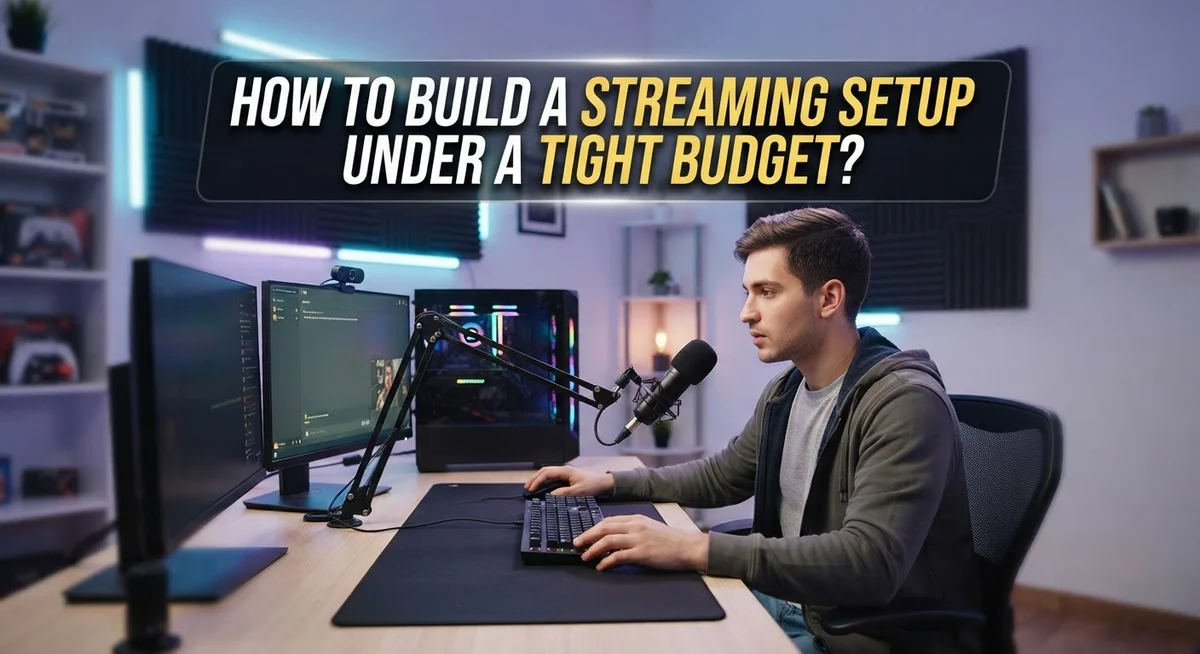
How to Build a Streaming Setup on a Tight Budget
Do you want to start streaming but think it costs too much? Good news. You do not need fancy gear to get going.
Many new streamers believe they must buy expensive cameras and microphones first. This is simply not true.
You can build a solid streaming setup with a small budget. Some creators start with less than $200 total.
The trick is knowing what you truly need. Skip the shiny extras for now. Focus on the basics that matter most.
A used computer works fine for beginners. Second hand gear can save you a lot of money too.
This guide will show you how to build a working streaming setup without breaking the bank. We will cover the must have items you need first.
You will learn which tools to skip until later. We will also share tips on finding good deals and avoiding common budget mistakes.
By the end, you will know exactly how to start streaming today. No huge investment required. Just smart choices and a plan that fits your wallet.
In a Nutshell
Building a streaming setup does not need a huge budget. Here is a quick summary of what you need to know.
-
Start small and simple. You do not need top tier gear to begin. A basic setup works well for new streamers.
-
Used computers save money. Any working computer can handle beginner streaming needs. You do not need the latest model.
-
Set a small budget first. Aim for $100 to $200 for your core setup. This covers the true essentials only.
-
Focus on must haves. Skip fancy chairs, lighting kits, and decorations. Essential tools matter more than accessories right now.
-
Second hand markets help a lot. Look for gently used gear instead of buying new. This cuts costs significantly without hurting quality.
-
Upgrade later, not now. Add better equipment once you start earning or growing your audience. Growing slowly is a smart strategy.
-
Avoid common beginner mistakes. Do not overspend on things you do not need yet. Many streamers waste money early by buying too much too soon.
Understanding What a Streaming Setup Really Needs
A streaming setup doesn’t need fancy equipment to work well. Many beginners think they must buy expensive cameras and microphones right away. The truth is simpler. You only need a few basic components to start streaming successfully.
Your computer is the foundation. It handles encoding, which means turning your video into a format that streams online. Any working computer from the last five years can do this job. Desktop or laptop both work fine. Older machines work too if they have decent processing power.
Internet speed matters more than you might think. Stable internet is essential for smooth streaming. You need at least 2.5 to 4 megabits per second upload speed for basic quality. Check your current connection before buying anything else. A wired connection beats WiFi every time because it’s more reliable.
Audio quality matters more than video quality to viewers. People will forgive blurry video but not bad sound. Your computer’s built in microphone works for starting out. You don’t need professional audio gear yet. Focus on clear, understandable sound first.
Lighting helps your video look better. Natural window light works great and costs nothing. You don’t need expensive lighting kits to begin. Sit near a window during daytime streaming and you’re set.
Camera options vary by your content type. If you’re streaming gameplay, you might use just your monitor. If you’re doing face cam streams, your computer’s built in webcam works fine for starting. Phone cameras work too in a pinch.
Software is free or low cost. Many streaming platforms offer free broadcasting tools. Your operating system likely includes basic recording software already.
Start with what you have right now. Add better gear only after you understand what you actually need for your specific streaming goals.
Assessing Your Current Equipment and Budget Goals
Before you spend a single dollar, take a moment to look at what you already own. Check your closet, desk, and storage areas. You might find a webcam, microphone, or lighting that works perfectly fine for streaming.
Next, write down your streaming goals. Are you streaming gameplay, creative content, music, or just chatting with friends? Your goals shape what equipment matters most. A gamer needs different tools than someone doing art tutorials.
Be honest about your current internet speed. Streaming requires stable upload speeds. Check your connection before buying anything else. Poor internet ruins even expensive setups, so this step saves you money and frustration later.
Count the money you can actually spend right now. Be realistic. If you have $150, that’s your real budget, not $300. Write this number down and stick to it. This prevents impulse purchases that drain your funds fast.
Separate needs from wants. You need a working computer, stable internet, and basic audio. You don’t need a gaming chair, fancy desk lights, or expensive decorations yet. Those come later when your channel grows.
Research what successful streamers in your niche started with. Many built huge audiences using basic setups. This research shows you what’s truly essential versus what’s just nice to have.
Make a simple list of must haves in order of importance. Put computer first, internet second, microphone third. This list keeps you focused when you start shopping. It stops you from buying expensive items you don’t need right now.
Take your time with this assessment step. Rushing leads to wasted money. A clear plan saves you hundreds of dollars and prevents buyer’s remorse down the road.
Choosing the Right Computer for Streaming on a Budget
Your computer is the heart of your streaming operation. The good news? You don’t need the latest model or expensive gaming rig to start broadcasting.
Any working computer can handle beginner streaming. Desktop computers, laptops, and even older machines work fine for basic streams. Your device just needs to run streaming software smoothly without constant crashes. If you already own a computer at home, test it first before buying anything new.
When shopping for a budget computer, focus on these key specs. Your processor should handle multitasking without freezing. RAM of 8GB or higher helps your system run streaming software alongside your content. Storage space matters less than processing power since you’re not recording locally.
The second hand market is your best friend here. Used computers cost significantly less than new ones. Check local marketplaces, online communities, and refurbished electronics retailers. A gently used computer from a few years ago performs just as well as a brand new budget model. Many people upgrade unnecessarily and sell perfectly functional machines.
Don’t fall into the trap of thinking you need top tier specs. Streamers have started successfully on basic machines. Your internet connection and software choices matter far more than having expensive hardware.
If your current computer feels slow, try these quick fixes first. Close unnecessary programs before streaming. Update your operating system and drivers. Clear out old files taking up space. These simple steps often solve performance problems without spending money.
Once you understand your actual streaming needs, you’ll know whether upgrading makes sense. Start with what you have. Upgrade only when your current setup genuinely limits your ability to broadcast quality content.
Essential Peripherals: Microphone, Webcam, and Lighting Basics
A good microphone, webcam, and lighting setup form the foundation of quality streaming. You don’t need expensive gear to sound and look professional. Budget options exist that deliver solid results for beginners.
Microphone choices matter more than you think. Your audio quality directly impacts viewer experience. A basic USB microphone works well for starting out. These plug directly into your computer with no extra setup needed. Avoid relying on your laptop or webcam microphone alone. Even cheap dedicated microphones sound noticeably better. Position your microphone close to your mouth for clearer sound. Keep it away from keyboard noise and fan sounds.
Webcams are straightforward purchases. Many laptops come with built in cameras that work fine. If you need an external one, basic models deliver acceptable video quality. Look for at least 720p resolution. Make sure your lighting setup works before buying an expensive camera. Poor lighting ruins video quality more than a basic camera does.
Lighting makes a huge visual difference. You don’t need professional studio lights. Natural window light works surprisingly well for streaming. Position yourself facing a window during daytime hours. If that’s not possible, consider budget friendly options like desk lamps with bright bulbs. Avoid harsh shadows on your face by using soft, diffused light. Two light sources (one main, one fill light) create professional looking results without breaking your budget.
Start with what you can afford right now. Test these basics before upgrading. Real viewers care more about consistent content than perfect equipment. As your streaming grows, you’ll earn money to invest in better gear later.
Setting Up Free and Low-Cost Streaming Software
Free and low cost streaming software removes the biggest barrier to getting started. You don’t need to spend money on expensive applications to broadcast quality content to your audience.
Open source streaming software works just as well as paid options for beginners. These applications handle encoding, scene management, and multi platform broadcasting without charging you anything. They run on Windows, Mac, and Linux computers equally well.
Free software gives you professional features without the premium price tag. You get customizable layouts, multiple scene transitions, audio mixing controls, and filter effects. These tools let you create polished streams right from day one.
Many streamers use free applications for years before considering upgrades. You’ll find that basic features cover 95% of what you actually need when starting out. Advanced capabilities matter less than consistent, reliable broadcasting.
Setting up free software takes minimal effort. Most applications have straightforward installation processes. You download the program, run the installer, and follow simple setup wizards. Within minutes, you’re ready to configure your first stream.
The learning curve stays gentle with free options. Tutorials and community guides exist for every popular free platform. Thousands of new streamers successfully use these tools daily.
Starting with free software lets you test streaming without financial risk. You learn what works for your content type and audience. Once you understand your actual needs, you can make informed decisions about upgrades later.
Budget conscious streamers often stay with free software indefinitely. The money you save goes toward better microphones, cameras, or internet upgrades instead. These physical improvements boost stream quality more than expensive software ever could.
Optimizing Internet and Audio-Video Settings for Smooth Streams
Your internet connection and audio-video settings determine whether viewers see smooth, quality streams or experience constant buffering and poor audio. Getting these right doesn’t require expensive upgrades.
Internet speed matters most for streaming success. Check your current download and upload speeds using free online tools. Most streaming platforms need 2.5 to 4 Mbps upload speed for basic 720p quality. If your speeds fall short, move your computer closer to your router or use a wired connection instead of WiFi. A direct ethernet cable connection reduces lag and provides more stable performance than wireless.
Position your router in a central location away from walls and metal objects. These obstacles block signals and slow your connection. Close unnecessary applications and browser tabs before streaming. They consume bandwidth and leave less available for your broadcast.
Audio settings require careful attention. Test your microphone levels before going live. Audio that’s too quiet frustrates viewers. Audio that’s too loud causes distortion. Most streaming software includes audio meters showing your current levels. Aim for the middle range during normal speaking.
Reduce background noise by streaming in a quieter room. Close windows and doors. Use soft materials like blankets and cushions to absorb sound. Your microphone placement affects quality too. Position it 6 to 12 inches from your mouth for clear audio.
Video settings should match your internet speed. Lower resolution and frame rates use less bandwidth. Start with 720p at 30 frames per second. Increase quality only after confirming your connection handles it smoothly. Adjust bitrate settings in your streaming software to match your upload speed. This prevents buffering issues that frustrate viewers.
Test your complete setup before your first real stream. Record a short practice broadcast. Review the recording for audio problems, video quality, and connection stability. Make adjustments based on what you observe.
Common Mistakes Beginner Streamers Make
Beginner streamers often make decisions that drain their budget without improving their streams. Understanding these mistakes helps you spend money wisely from day one.
The biggest error is buying expensive equipment before streaming at all. Many new streamers assume they need top-tier cameras, microphones, and computers to start. This simply isn’t true. You can begin streaming with basic gear and upgrade later once you understand what actually helps your content.
Another common mistake is purchasing items you don’t need yet. Gaming chairs, ring lights, and fancy desk setups look cool but won’t improve your stream quality. Focus on essentials first. Audio and video quality matter most to viewers. Everything else comes second.
Beginners often ignore the second-hand market. Used equipment works perfectly fine for starting out. Previous owners upgrade for reasons that don’t affect beginners. You can find reliable gear at a fraction of the original cost. This approach stretches your budget significantly.
Many new streamers also buy the wrong type of equipment for their content. A streamer playing indie games has different needs than someone doing art tutorials. Research what other successful streamers in your niche actually use before spending money.
Not testing free software first is another costly mistake. You can stream with free applications for months or years. Paid software offers extra features, but beginners don’t need them. Jumping to premium options wastes money when free tools work perfectly.
Finally, beginners often upgrade too quickly. Resist the urge to buy new gear after your first week. Stream for several months first. You’ll learn what actually needs improvement. This patience saves money and ensures you buy what you truly need, not what marketing convinces you to purchase.
Troubleshooting Common Budget Setup Issues
Budget streaming setups fail for specific reasons. Understanding these problems helps you fix them quickly and keep costs low.
Low internet upload speeds cause the most frustration. Your stream stutters or disconnects when your upload speed falls below what you need. Test your speeds before streaming. If speeds are too low, move closer to your router or switch to a wired connection. These simple changes often solve the problem without spending money.
Audio problems happen frequently in budget setups. Your microphone picks up background noise. Your levels are too quiet or too loud. Speak directly into your microphone and test it before going live. Move to a quieter room if background noise persists. You don’t need expensive soundproofing. Blankets and soft furniture reduce noise naturally.
Video quality issues emerge when settings don’t match your internet speed. Your stream lags or freezes when resolution is too high. Lower your resolution and frame rate instead. Start at 720p and 30 frames per second. You can always increase these later.
Computer performance problems slow everything down. Your computer struggles to process video while running streaming software. Close unnecessary programs before streaming. Restart your computer before each session. If problems continue, upgrade your RAM or use a faster processor. These upgrades cost less than buying new equipment.
Lighting problems make you look dark or washed out. Position a light source in front of you, not behind you. A simple desk lamp works fine for beginners. Avoid direct sunlight from windows.
These issues have straightforward solutions. Most fixes require no money at all. Start simple and adjust as you stream.
Final Thoughts
Building a streaming setup on a budget is completely possible. You don’t need expensive gear to start your journey. Many successful streamers began with basic equipment and grew from there.
Focus on essentials first. Get a working computer, a decent microphone, and a stable internet connection. These three items matter more than fancy accessories.
Second hand equipment saves you money without hurting quality. Many streamers find great deals on used gear that works just as well as new items. Check local listings and online marketplaces before buying new.
Free streaming software gives you everything you need to begin. Test your setup thoroughly before spending on premium tools. You can always upgrade later once you understand your specific needs.
Your budget of $100 to $200 covers the basics nicely. This amount gets you started without draining your savings. Add extra equipment only after you confirm streaming fits your lifestyle.
Avoid common mistakes that waste money early on. Don’t buy gaming chairs or fancy lighting before mastering your core setup. Skip expensive upgrades until you know what your audience actually needs.
Patience pays off in this hobby. Start small, learn your equipment, and grow naturally over time. Many top streamers took months or years to build their current setups.
Your streaming journey starts with smart choices, not big spending. Test free options, buy used when possible, and prioritize function over looks. This approach keeps costs low while you learn the craft.
Remember that great content matters more than expensive equipment. Viewers care about your personality and entertainment value first. Build your technical setup gradually as your channel grows and your budget allows.
Frequently Asked Questions
Can I really start streaming with just $100 to $200?
Yes, absolutely. A basic streaming setup costs between $100 and $200 for essential components. You don’t need fancy equipment to begin. Many successful streamers started with minimal budgets and upgraded slowly over time.
What equipment do I actually need to start?
You need a computer, internet connection, and a microphone. A basic webcam helps if your computer doesn’t have one built in. Free streaming software handles the rest. Skip the expensive gaming chair, ring lights, and fancy monitors for now. Focus on what actually goes into your stream first.
Should I buy used equipment to save money?
Used equipment works great for beginners. The second hand market has plenty of options that function perfectly well. You’ll spend significantly less while getting reliable gear. Many streamers sell their old equipment when they upgrade, so you benefit from their experience.
What’s the biggest mistake people make with budget streaming?
The biggest mistake is buying expensive items before you even start streaming. Many beginners assume they need top tier gear right away. They spend money on things they don’t need yet. Instead, start with essentials, test your setup, and upgrade based on what actually improves your stream.
Can I use free software to stream on a budget?
Free streaming software gives you everything needed to broadcast. You can use these applications for months or even years without paying anything. They handle video encoding, audio mixing, and platform integration. Test free options before spending money on premium versions.

Dillip is the founder and editor of ImageScaleLab.com, a passionate tech enthusiast who loves breaking down complex gadgets and accessories into simple, honest reviews and buying guides. With years of hands-on experience exploring the latest in tech, he is dedicated to helping readers make smarter, more confident purchasing decisions.