How to Add Smart Features to a Regular Appliance?
Do you wish your old fridge could send you a text when the milk runs low? Or maybe you want your washer to alert you the moment a cycle ends. Good news: you do not need to buy a brand new appliance to get these perks.
Smart technology can turn almost any regular appliance into a connected helper. With the right approach, you can add WiFi control, automation, and notifications to devices you already own.
This shift is not just a fun upgrade. It saves time, boosts safety, and helps you use less energy. Many families find that small changes make daily routines much simpler.
In this guide, we will show you how to assess which features actually fit your life. We will cover remote access, automation, and smart notifications in simple terms.
You will also learn how to avoid common mistakes, like paying for subscriptions you do not need. We will explain how to name and organize your devices the smart way.
By the end, you will know exactly how to make your regular appliances work smarter for you.
In a Nutshell
Here is a quick summary to keep in mind before you start:
-
Smart plugs and hubs can turn a regular appliance into a connected device. You do not always need to buy a brand new appliance.
-
Always check for subscription fees before you commit. Some smart features stop working without a paid plan.
-
Focus on features that fit your daily routine. Remote access and notifications are helpful, but only if you will actually use them.
-
Name and organize your devices clearly from the start. This step saves you time and confusion later.
-
Do not expect perfect, glitch free performance. Smart tech can have small bugs, so patience helps.
-
Energy saving features are a big bonus. They can help lower your utility bills over time.
-
Take time to explore all the features after setup. Many people forget to use tools they already have.
This simple approach helps you add smart features without wasting money or time. You get a smarter home with less stress.
What Makes an Appliance ‘Smart’
A smart appliance is one that connects to your home network and does more than just perform basic tasks. It communicates with your phone, learns your habits, and automates actions without you lifting a finger.
The main difference between a smart appliance and a regular one comes down to connectivity and intelligence. A regular appliance works when you turn it on. A smart appliance works when you want it to, even when you are not home.
Smart appliances use WiFi to connect to your home network. They talk to apps on your phone or voice assistants in your house. This connection lets you check status updates, receive alerts, and control settings from anywhere.
Artificial intelligence plays a big role in modern smart appliances. These devices learn your patterns over time. Your washing machine might figure out your preferred water temperature. Your oven could remember your favorite cooking settings.
The real value comes from automation and notifications. You get alerts when cycles finish, when something needs attention, or when supplies run low. You can set up rules so tasks happen automatically without manual input.
Energy efficiency is another key feature. Smart appliances track power usage and suggest ways to reduce consumption. Some automatically adjust settings during off peak hours to save money.
Not every smart feature requires a subscription, but many do. Some offer free basic functions with paid premium options. Others bundle notifications and advanced features into monthly or yearly plans.
The core idea is simple: smart appliances remove friction from your daily routines. They give you information faster, save you time, and help you use less energy. Understanding what makes them smart helps you decide which features actually benefit your household.
Smart Plugs, Adapters, and Sensors: Your Upgrade Options
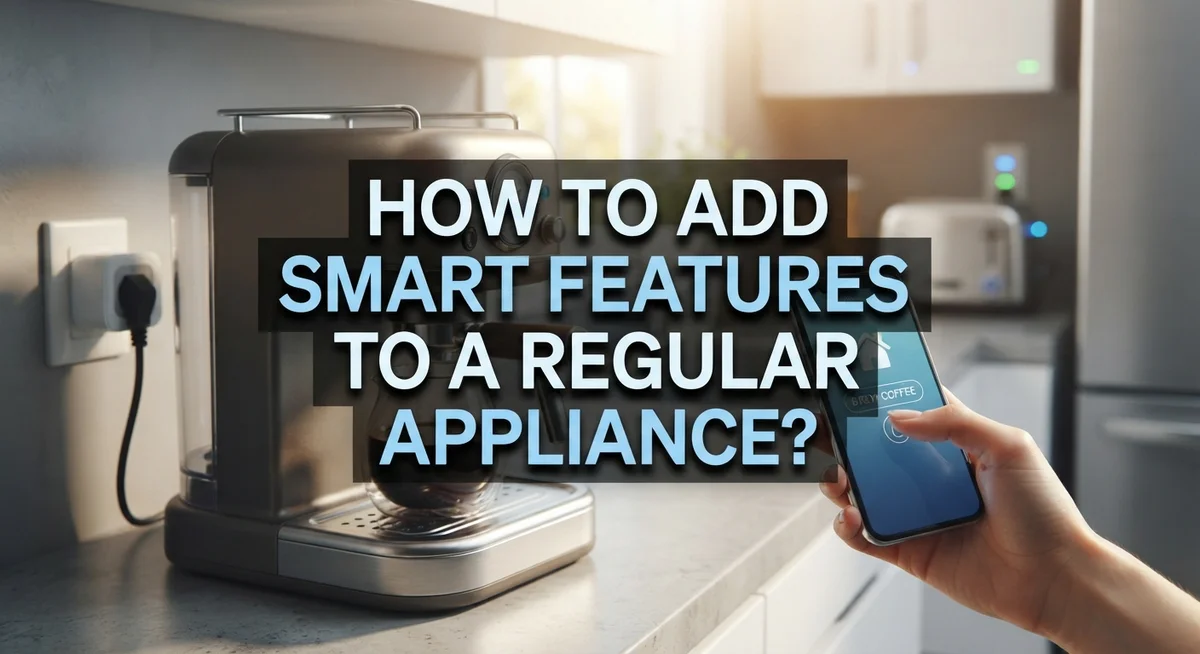
Smart plugs are the easiest way to add intelligence to any regular appliance. These small devices fit between your wall outlet and your appliance’s power cord. They let you control power on and off from your phone, even when you are away from home.
Adapters work similarly but offer different connection points. Some adapters plug directly into outlets. Others connect to specific appliance ports. The choice depends on your appliance type and what you want to control.
Sensors are the third option for upgrading regular appliances. These devices monitor conditions like temperature, motion, or moisture. A sensor on your washing machine detects when a cycle finishes. A sensor on your dryer tracks humidity levels. You receive notifications when the job is complete.
Here is what each option does best. Smart plugs work well for appliances that just need on and off control. Think coffee makers, space heaters, or slow cookers. Adapters suit appliances with built in smart capabilities that need a connection bridge. Sensors add awareness to appliances that perform tasks over time.
Consider your specific needs first. Do you want remote control? Do you need alerts when tasks finish? Are you looking to save energy? Your answers determine which upgrade makes sense.
Most of these options connect through a central hub or your WiFi network directly. Setup usually takes minutes. You download an app, add the device, and name it clearly in your system.
The big advantage? You keep your existing appliances. No replacement needed. You simply add a layer of intelligence on top. This approach saves money and reduces waste while giving you modern convenience.
Assessing Your Needs Before You Start
Before you add smart features to your regular appliance, take time to understand what you actually need. This step saves money and prevents frustration later.
Start by asking yourself simple questions. Do you want to control your appliance from your phone when you’re away? Do you need notifications when a cycle finishes? Would you like the device to run on a schedule automatically? Your answers show which features matter most.
Think about your daily routine next. Smart features work best when they match how you actually live. If you forget to start the laundry, remote access helps. If you’re always home, that feature may not be worth the cost. Consider what would genuinely make your life easier.
Check whether features require ongoing subscriptions. Some smart upgrades charge monthly or yearly fees. Others work with a one time setup. Know these costs before you commit. A feature that seems helpful might become expensive over time.
Evaluate your home network setup too. Do you have a strong WiFi signal in the room where your appliance sits? Some upgrades need a central hub to work properly. Others connect directly to your network. Understanding your setup prevents connection problems later.
Think about energy savings as well. Many smart features help reduce electricity or water use. These savings can offset upgrade costs over months or years.
Finally, consider how many devices you plan to add. If you’re upgrading multiple appliances, you’ll need a clear naming system from the start. This prevents confusion when you’re managing everything through an app.
Take a few minutes now to write down your priorities. This simple list guides your entire upgrade process.
Step-by-Step: Connecting Your Appliance to a Smart System
Connecting your appliance to a smart system involves several straightforward steps. Start by choosing a central hub or direct WiFi connection method that matches your home setup. Most smart systems use either a dedicated hub or connect appliances directly to your home network.
First, download the app for your smart system. Create an account and log in with your credentials. This app becomes your control center for all connected devices.
Next, put your appliance into pairing mode. Check the device manual for exact instructions since this varies by model. Usually you’ll press and hold a button or access a settings menu on the appliance itself.
Open the app and select “Add Device” or “Pair New Device.” The app will search for your appliance on your network. Select your appliance when it appears in the list.
Name your device clearly during setup. Use specific names like “Kitchen Coffee Maker” or “Laundry Room Dryer” instead of generic labels. Good naming saves confusion when you have multiple devices.
Connect the appliance to your WiFi network when prompted. Enter your network password if required. The connection process typically takes one to two minutes.
Test the connection by using the app to control a basic function. Turn something on or off to confirm everything works properly.
Configure your preferred settings next. Enable notifications, set automation rules, or adjust energy saving options based on your earlier priorities.
Finally, organize your devices into rooms or zones within the app. This step makes managing multiple appliances much easier.
Once complete, your regular appliance now has smart capabilities. You can access it remotely and set up automations that fit your daily routine.
Naming, Organizing, and Automating Your Devices
Once your appliances connect to your smart system, the real power emerges through proper naming and organization. Clear naming prevents confusion when you have multiple devices running simultaneously. Use simple, descriptive names that tell you exactly what each device does and where it lives.
For example, name your device “Kitchen Coffee Maker” instead of “Device 1.” Add the room name to every device. This approach saves time when you search for a specific appliance later. When family members ask to control something, they use the same name you assigned.
Organization creates a logical structure within your smart system. Most apps let you group devices by room or function. Put all bedroom appliances together. Keep kitchen devices in one section. This arrangement makes automation rules much easier to set up and manage.
Automation takes your smart system to the next level. You can create routines that trigger multiple devices based on simple conditions. Set your coffee maker to start brewing when your alarm goes off. Have lights turn on when motion sensors detect activity. These automated sequences eliminate repetitive manual actions.
Start with basic automations before attempting complex ones. Test each routine to ensure it works as expected. Some automations might need adjustments based on your actual daily patterns.
Consistent naming and smart organization prevent frustration down the road. You’ll spend less time hunting for the right device or troubleshooting connection issues. Your family members can easily control appliances without confusion. Good organization also makes adding new devices simpler since you already have a system in place. This foundation supports all your future smart home expansions.
Tips for Getting the Most Out of Smart Upgrades
Getting the most out of smart upgrades requires intentional planning and consistent use. Start by focusing on features that genuinely improve your daily life. Don’t add smart capabilities just because they exist. Choose functions that save time or reduce effort in your actual routine.
Energy monitoring stands out as a practical benefit. Many smart upgrades track power consumption in real time. You can identify which appliances drain the most energy. This information helps you adjust usage patterns and lower your utility bills.
Automation creates significant value once you understand your patterns. Set up simple routines first. For example, schedule your appliance to run during off peak hours. Gradually add more complex automations as you get comfortable with the system.
Test all available features within the app. Many people purchase smart upgrades but never explore their full potential. Spend time clicking through settings and options. You might discover useful functions you didn’t know existed.
Keep your device names consistent and descriptive. This prevents confusion when you add more appliances later. Use naming conventions like “Kitchen Refrigerator” or “Laundry Washer” across your entire setup.
Avoid subscription traps by understanding costs upfront. Some smart features require monthly or yearly fees. Determine whether these costs justify the benefits. Cancel subscriptions you don’t actively use.
Monitor your home network quality. Smart features depend on stable WiFi connections. Poor connectivity frustrates users and limits functionality. Position your router centrally if possible.
Finally, give yourself time to adapt. New smart systems feel overwhelming at first. Use them regularly for two weeks before deciding if they work for you. Most people find genuine value once they move past the learning phase.
Common Mistakes to Avoid
Many people make preventable errors when adding smart features to regular appliances. Understanding these mistakes helps you save money and frustration.
Overlooking subscription costs ranks as the biggest mistake. Some smart features require monthly or yearly payments. You might purchase an appliance thinking it offers free remote access, only to discover hidden fees later. Always check the fine print before buying. Read through the app’s pricing structure carefully.
Assuming perfect operation is another common error. Smart systems occasionally glitch or lose connection. Your appliance might disconnect from WiFi during updates or network changes. Plan for occasional troubleshooting rather than expecting flawless performance every time.
Poor device naming and organization creates confusion quickly. Naming your device “Device 1” or “Appliance 2” makes automation impossible. You won’t remember which device controls what. Unclear naming leads to selecting the wrong appliance when you need quick action.
Failing to use available features wastes your investment. Many people add smart capabilities but never explore the app’s full potential. They might ignore energy monitoring, automation options, or notification settings. Spend time learning what your system actually does.
Not planning your smart system layout causes headaches later. Think about which appliances truly benefit from smart features. Consider your daily routines and what would genuinely help. Adding smart features to every appliance creates unnecessary complexity.
Ignoring network quality leads to connection problems. Your WiFi strength directly affects how well smart features work. Weak signals cause lag and disconnections. Position your router strategically before adding multiple smart devices.
Take time to research before purchasing. Avoid these mistakes and your smart upgrades will deliver real value to your home.
Troubleshooting Common Connectivity Issues
Smart appliances rely on stable connections to work properly. When your devices disconnect or respond slowly, a few simple checks solve most problems.
Start by checking your WiFi signal strength. Move closer to your router and see if the connection improves. Weak signals cause devices to drop offline frequently. If the signal remains poor in certain areas, consider repositioning your router to a central location in your home.
Restart your router next. Unplug it for 30 seconds, then plug it back in. This simple step fixes many connection issues. While the router restarts, also restart the smart appliance itself. Most devices have a power button or require unplugging for a few seconds.
Check your app settings carefully. Verify that your device appears in the correct room or zone. Sometimes devices lose their connection after updates. Remove the device from your app completely, then add it again using the setup process. This fresh connection often resolves stubborn issues.
Review your network password and security settings. Ensure your appliance uses the correct WiFi credentials. Some devices struggle with certain security protocols, so check if your router uses WPA2 or WPA3 encryption.
Look at your app version too. Outdated apps cause compatibility problems with your devices. Update your app through your device’s app store immediately.
Monitor how many devices connect to your network. Too many connected devices strain your WiFi capacity. Your router has limits on simultaneous connections. Prioritize your most important smart appliances if you experience widespread slowdowns.
If problems persist after these steps, check your internet service provider’s status. Temporary outages affect all connected devices. Contact your service provider if your internet connection itself seems unstable. Document which devices fail and when to identify patterns and share details with customer support if needed.
Final Thoughts
Adding smart features to a regular appliance is easier than most people think. You do not need a completely new appliance to enjoy smart benefits. Small upgrades can transform how your home runs.
Start with your biggest need first. Maybe you want remote monitoring. Maybe you want notifications about a finished cycle. Pick one problem and solve it well.
Planning matters more than technology. Before you buy anything, think about how the device fits into your daily routine. This simple step saves you time and frustration later.
Remember that smart features work best with proper setup. Naming devices clearly and organizing them logically makes daily use smooth. This small effort pays off every single day.
Automation is where smart appliances truly shine. Once your devices talk to each other, your home starts working for you. Simple routines can save minutes that add up over weeks.
Avoid rushing into every feature at once. Many people overwhelm themselves by trying to automate everything immediately. Slow, steady progress works better than trying to do too much too fast.
Watch out for subscription costs hiding behind convenient features. Some smart upgrades look free at first but require ongoing payments. Always check this detail before committing.
Your network plays a silent but important role too. A stable WiFi connection keeps your smart features working without interruption. Weak signals cause most frustrating issues.
In the end, smart upgrades are about making life simpler, not more complicated. Choose features that match your real needs. Take your time, stay organized, and enjoy the convenience these small changes bring to your everyday life.
Frequently Asked Questions
Can I add smart features to appliances I already own?
Yes, you can add smart capabilities to existing appliances using smart plugs, hubs, and controllers. These devices sit between your appliance and power outlet. They let you control older appliances through apps and voice commands.
However, some features work better than others. Remote access and scheduling work well with most appliances. Advanced features like temperature monitoring need special sensors you may have to install yourself.
What’s the difference between a smart appliance and a regular one with smart add ons?
A built in smart appliance has technology inside from the factory. An add on device gives you smart features without replacing your current appliance.
Built in options offer more advanced capabilities. Add on devices cost less and work with what you already have. Both connect through WiFi and apps, but built in models usually have better integration and more features available.
Do all smart features require a subscription?
Not all of them. Basic features like remote on off controls and scheduling work without fees.
Some advanced features do cost money monthly or yearly. These include detailed usage reports, advanced automation, and premium notifications. Always check what costs apply before you commit to any system. Many people overlook these fees and get surprised later.
How do I know which smart features I actually need?
Start by thinking about your daily routine. What tasks take the most time or frustration? What would make your life easier?
If you want to save energy, focus on monitoring and scheduling features. If you want convenience, remote access matters most. If you want safety alerts, prioritize notification features. Pick features that solve real problems in your home, not just trendy options.

Dillip is the founder and editor of ImageScaleLab.com, a passionate tech enthusiast who loves breaking down complex gadgets and accessories into simple, honest reviews and buying guides. With years of hands-on experience exploring the latest in tech, he is dedicated to helping readers make smarter, more confident purchasing decisions.