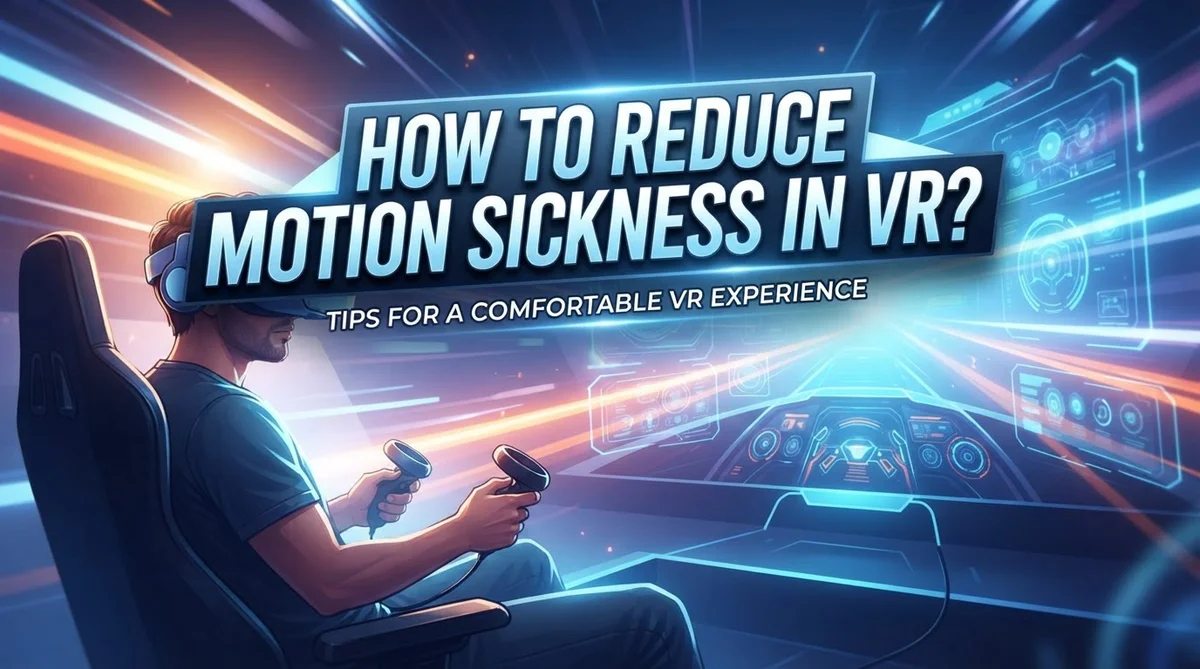
How to Reduce Motion Sickness in VR?
Have you ever felt dizzy or queasy after wearing a VR headset? You are not alone. This is called VR motion sickness, and it happens to many players.
Your eyes see fast movement in the virtual world. But your inner ear feels no movement at all. This mismatch confuses your brain. That confusion often leads to nausea, dizziness, or headaches.
The good news is that motion sickness does not have to end your VR fun. Small changes in how you play can make a big difference.
This article will show you simple ways to feel better in VR. You will learn why motion sickness happens in the first place. We will cover easy prevention steps like using teleport movement and snap turning. You will also find quick remedies for when symptoms hit.
Building tolerance takes time, but consistency is the key. With the right habits, most players can enjoy longer VR sessions comfortably.
Let’s explore how you can reduce motion sickness and get back to enjoying virtual reality.
In a Nutshell
Here is a quick summary to help you fight motion sickness in VR.
-
Choose teleport movement over smooth locomotion. This one change stops most of the queasy feeling right away.
-
Play while sitting down. This gives your body a stable base and reduces confusing signals to your brain.
-
Start with short sessions. Give your body time to adjust before you jump into longer play times.
-
Take breaks the moment you feel off. Ignoring early signs of sickness only makes things worse.
-
Use a fan or open window for fresh air. Cool air can calm your stomach and clear your head fast.
-
Try ginger ale or ginger candy if nausea hits. This old trick works well for settling an upset stomach.
Remember, your comfort matters more than finishing a level. Small steps and steady practice will build your tolerance over weeks. Soon, you will move through virtual worlds without that dizzy feeling holding you back.
What Causes Motion Sickness in VR
Your eyes and your inner ear don’t always agree in VR. This mismatch is the main reason you feel sick.
When you wear a VR headset, your eyes see movement on the screen. You watch your avatar walk forward, turn corners, or fly through space. Your visual system processes all this motion information and sends signals to your brain.
Your inner ear, however, stays still. You are physically sitting or standing in one place. Your vestibular system (the balance center in your ear) detects no movement at all. Your brain receives two completely different messages at the same time.
This conflict between what your eyes see and what your body feels creates disorientation. Your brain struggles to make sense of the contradiction. The result is dizziness, nausea, and that unsettling feeling many people call VR sickness.
Some people experience this effect more than others. Your age, sensitivity to motion, and past experiences all play a role. Someone who gets car sick easily might struggle more in VR. A person who has never had motion issues might feel fine.
The good news is that your brain adapts over time. With repeated, consistent exposure to VR, your nervous system learns to handle the visual motion without your body moving. You build tolerance gradually.
This is why short, frequent sessions work better than long ones. Your brain needs time to adjust between experiences. Pushing too hard too fast can make symptoms worse and slow down your tolerance building.
Understanding this disconnect helps you see why certain solutions work. Teleport movement eliminates the constant motion your eyes see. Sitting down reduces the sensory confusion. Breaks give your brain time to reset. Each strategy addresses this core mismatch between your visual and vestibular systems.
Setting Up Your VR Environment for Comfort
Your VR space has a bigger impact on comfort than you might think. The environment around you matters just as much as the headset itself.
Start by choosing a room with plenty of open space. You need at least six feet in each direction to move safely without hitting walls or furniture. Clear obstacles before you play. A cluttered space increases anxiety, which actually makes motion sickness worse.
Lighting in your room affects how your eyes adjust to the headset. Bright overhead lights can cause eye strain when you switch between the real world and virtual space. Use soft, even lighting instead. Avoid direct sunlight on your play area, as glare reduces the headset’s display quality.
Temperature control matters more than most people realize. A warm room intensifies nausea symptoms. Keep your space cool and comfortable, around 68 to 72 degrees Fahrenheit. Air circulation is essential. Open a window or use a fan to keep fresh air moving. This simple step reduces dizziness significantly.
Your seating setup determines how your body responds to virtual movement. Sit in a chair with good back support rather than standing for your first sessions. Your inner ear adjusts better when your body feels stable and grounded. Make sure your chair doesn’t roll or spin unexpectedly.
Remove distractions from your play space. Put your phone away and ask family members not to interrupt. Mental focus helps your brain process the virtual environment more smoothly. When you concentrate fully, your nervous system stays calmer.
Finally, position your VR headset correctly before playing. An ill fitting headset causes neck strain and eye fatigue, both of which trigger or worsen motion sickness. Adjust the straps so the headset sits snugly but comfortably on your head. Your eyes should align with the lenses perfectly.
Step-by-Step: Building Tolerance Gradually
Start with very short play sessions of 5 to 10 minutes. This gives your brain time to adjust without overwhelming your system. Your vestibular system (inner ear) needs gradual exposure to virtual movement.
After your first session, wait at least a few hours before playing again. This break allows your brain to process the experience. Spacing out sessions helps your tolerance build faster than back-to-back play.
On day two or three, increase your session length by just 2 to 3 minutes. So if you played for 10 minutes, try 12 or 13 minutes next time. Small increments matter more than big jumps.
Pay close attention to how you feel during each session. Stop immediately if you notice dizziness, nausea, or eye strain. Pushing through symptoms actually slows down your tolerance building.
Choose games with teleport movement during this phase. Avoid smooth locomotion entirely while you build your baseline comfort. Teleporting lets your eyes and inner ear stay in sync.
Switch to sitting down for all early sessions. Your body needs stability as your brain learns to handle virtual movement. Standing adds extra variables that complicate the adaptation process.
Keep a simple log of your sessions. Write down the date, duration, game type, and how you felt. This helps you spot patterns and track real progress.
After two weeks of consistent, gradual exposure, most people notice improvement. Some adapt faster, others need more time. Your individual pace is normal.
Once you hit 20 to 30 minutes comfortably, you can start experimenting with snap turns instead of smooth rotation. Introduce one new element at a time. This measured approach prevents setbacks.
Remember that tolerance varies by person and even by day. Stress, sleep, and hunger all affect your susceptibility. Stay patient with yourself throughout this process.
Choosing Comfort-Friendly Movement Settings
Your movement settings in VR make a huge difference in how comfortable you feel. The right choices can mean the difference between enjoying your experience and feeling sick.
Teleport movement is your best friend when starting out. Instead of walking smoothly across virtual spaces, teleportation lets you jump from one spot to another instantly. Your eyes see the movement, but your body doesn’t feel it accelerating or decelerating. This reduces the conflict between what your eyes and inner ear experience.
Smooth locomotion, by contrast, mimics real walking. Your screen shows continuous movement, but your body stays still in your chair. This mismatch triggers motion sickness in many people. Save smooth movement for later, once your brain has adapted to VR.
Snap turning is another comfort friendly option. Instead of rotating your view smoothly, snap turning rotates your perspective in quick, fixed angles like 30 or 45 degrees. This feels less disorienting than watching the world spin around you gradually.
Look for games that let you customize these settings before you play. Most VR applications offer movement options in their menus. Choose teleport and snap turn options whenever available during your early sessions.
Some games let you adjust movement speed as well. Slower movement feels less jarring to your system. Start with slower speeds, then increase them as you build tolerance.
Your seated position matters too. Sitting down keeps your body stable while your eyes see movement. Standing makes your inner ear work harder to maintain balance during virtual motion.
Check if your headset has a comfort mode or beginner setting. Many devices include these specifically for motion sickness prevention. These modes typically limit movement options and reduce visual complexity.
Test your settings in short bursts. Play for just 5 to 10 minutes with your chosen movement settings. Notice how you feel. Adjust settings if needed before your next session. Consistency with the same settings helps your brain adapt faster than constantly switching between options.
Quick Remedies When Symptoms Strike
When motion sickness symptoms hit during your VR session, you need to act fast. The best immediate step is to stop playing and remove your headset right away. Continuing to play through nausea only makes things worse and extends your recovery time.
Once you remove the headset, sit down in a comfortable chair or lie down if needed. Your body needs stability to reset. Stay still for at least 5 to 10 minutes while your visual and balance systems recalibrate.
Drink some ginger ale or eat ginger candies if you have them available. Ginger has natural properties that help calm nausea quickly. Sip slowly rather than gulping. Many people find relief within 15 to 20 minutes of consuming ginger products.
Get some fresh air moving around you. Open a window or turn on a fan. Stale air can make nausea feel worse. Cool, moving air helps your body feel more grounded and reduces that spinning sensation.
Keep your room temperature comfortable and cool. Heat can amplify nausea, so adjust your thermostat if needed. Remove any extra layers of clothing that might trap warmth.
Focus on something stationary in your real environment. Look at a fixed point on the wall or ceiling. This helps your vestibular system recalibrate to the real world. Avoid looking at screens or moving objects during recovery.
If symptoms persist beyond 30 minutes, consider taking a longer break. Some people benefit from over the counter motion sickness medication, though you should consult a healthcare provider first about what works for your situation.
Don’t rush back into VR too quickly. Wait at least an hour before putting the headset back on. Your body needs time to fully recover. When you do return, start with shorter sessions and use comfort friendly movement settings like teleportation.
Common Mistakes That Worsen VR Sickness
Many people make simple mistakes that make VR sickness worse. Understanding these errors helps you avoid them and enjoy VR more comfortably.
Extended play sessions without breaks is the biggest mistake beginners make. Your brain needs time to adjust to the disconnect between what your eyes see and what your body feels. Pushing through long sessions trains your system to feel sicker, not better. Stop playing the moment you feel uncomfortable.
Ignoring early warning signs compounds the problem quickly. Slight dizziness or mild nausea means your system is struggling. Many players think pushing through these signals builds tolerance faster. This is wrong. Early symptoms are your body’s way of saying it needs a break now.
Using smooth locomotion too early overwhelms your vestibular system. Smooth movement mimics real walking while your body stays still. This mismatch confuses your brain intensely. Wait until you build tolerance before trying smooth locomotion.
Playing while standing up removes your body’s stability reference point. When you stand and move in VR, your inner ear senses no motion. Your eyes see movement. This conflict triggers stronger sickness responses. Sitting keeps your body anchored while your view moves.
Skipping breaks between sessions prevents your system from recovering. Your tolerance builds through consistent exposure, not through marathon sessions. Playing for 10 minutes, waiting several hours, then playing again works better than one long session.
Not adjusting device settings leaves you vulnerable. Low refresh rates cause stuttering. Stuttering makes sickness much worse. Check your device’s refresh rate before playing. Higher refresh rates (90 Hz or above) feel smoother and cause less discomfort.
Ignoring environmental factors adds unnecessary stress. Poor lighting, warm rooms, and stale air all worsen symptoms. Keep your play area cool, well lit, and ventilated. These simple changes reduce sickness significantly.
Troubleshooting Persistent Symptoms
When motion sickness symptoms persist despite your best efforts, you need a strategic approach to identify what’s causing the problem. Start by tracking which specific activities trigger your symptoms. Does discomfort happen during certain games, movement types, or session lengths? Write down these details to spot patterns.
Your device settings deserve a closer look. Check if your headset’s refresh rate matches the recommended specifications for your games. Lower refresh rates create a mismatch between what your eyes see and what your inner ear expects, intensifying nausea. A higher refresh rate reduces this disconnect significantly.
Consider your physical setup too. Your play space temperature matters more than you might think. A room that’s too warm makes nausea worse. Use a fan to keep air moving around you. This simple step helps your body feel more grounded and comfortable during gameplay.
If symptoms continue, examine your tolerance building schedule. You might be pushing too hard too fast. Reduce your daily session length to just 10 or 15 minutes, even if you feel fine. Consistency beats intensity when training your vestibular system to adapt.
Medication can help when other strategies fall short. Over the counter antiemetic options exist specifically for motion sickness management. Take these before your VR session starts, not after symptoms appear. They work best as prevention rather than treatment.
Pay attention to your body’s early warning signals. Slight dizziness or mild eye strain means stop immediately. Pushing through these early signs leads to severe nausea that takes hours to fade. Respecting your body’s limits actually speeds up your tolerance building over time.
If symptoms remain severe after two weeks of consistent practice with these adjustments, your sensitivity level might simply be higher than average. That’s completely normal. You can still enjoy VR with shorter, more frequent sessions using teleport movement exclusively.
Final Thoughts
Reducing motion sickness in VR takes patience and practice. Your body needs time to adjust to this new experience. Most people see real improvement within a few weeks.
Start with short sessions and simple games. Teleport movement and snap turning are your best friends early on. They give your brain fewer conflicting signals to process.
Building tolerance is not a straight line. Some days will feel easier than others. Consistency matters more than intensity when training your system.
Listen to your body throughout every session. Early symptoms are signals, not obstacles to push through. Stopping early today means longer play sessions tomorrow.
Remember that susceptibility varies from person to person. What works for your friend might not work the same way for you. This is normal and expected.
Small adjustments often make the biggest difference. Sitting down, using a fan, and choosing the right games can transform your experience. These simple changes cost nothing but attention.
Ginger and proper breaks remain reliable tools. Keep them ready during longer VR sessions. Your comfort should always come before extended playtime.
High refresh rate devices also help reduce discomfort significantly. If you plan to use VR often, this feature matters. It reduces the visual lag that triggers sickness.
Progress happens gradually, not overnight. Trust the process and stay consistent with your exposure schedule. Your vestibular system will adapt over time.
Most VR users eventually build strong tolerance levels. They move from teleport-only gameplay to full smooth locomotion. This shift often takes weeks, not days.
Give yourself grace during this adjustment period. VR motion sickness is common and manageable with the right approach. You are not alone in this experience.
With patience and these practical steps, comfortable VR gaming becomes achievable. Your enjoyment of virtual reality will grow as your tolerance builds. Stay consistent, listen to your body, and progress will follow naturally.
Frequently Asked Questions
Why does VR make some people sick but not others?
VR motion sickness happens when your eyes see movement but your body doesn’t feel it. Your brain gets confused by this mismatch. Some people’s brains adapt faster than others. Individual sensitivity varies greatly based on how your vestibular system (inner ear balance) responds to visual signals.
Age, genetics, and past experiences all play a role. Younger people sometimes adjust quicker, but this isn’t always true. Previous exposure to VR also matters. Your body learns to process these signals better over time.
Can I build tolerance to VR motion sickness?
Yes, absolutely. Consistency is your best tool here. Your brain adapts when you expose yourself to VR regularly. Start with 15 to 20 minute sessions and gradually increase them.
Most people notice improvement within one to two weeks of steady practice. Your vestibular system gets better at matching visual input with expected movement. The key is staying patient and not pushing too hard too fast.
What’s the fastest way to stop feeling sick during a VR session?
Stop immediately when symptoms appear. Take off your headset and sit down. Drink some water and breathe fresh air for a few minutes.
Ginger products help reduce nausea quickly. A fan pointed at you can cool your body and ease discomfort. These simple steps work surprisingly well for most people.
Should I use teleport or smooth movement?
Teleport movement is gentler on your system, especially when starting out. Smooth locomotion feels natural but confuses your balance sensors more easily.
Use teleport first. Once you build tolerance after several weeks, you can experiment with smooth movement. Many people never need to switch. Choose what feels comfortable for your body.

Dillip is the founder and editor of ImageScaleLab.com, a passionate tech enthusiast who loves breaking down complex gadgets and accessories into simple, honest reviews and buying guides. With years of hands-on experience exploring the latest in tech, he is dedicated to helping readers make smarter, more confident purchasing decisions.